The latest AccountRight version is 2026.9 which was released in October 2026. What's new in the latest version?
AccountRight is designed to work online which means all updates are installed automatically. Just remember to restart AccountRight to complete any updates.
Manually installing the latest AccountRight version
If you're installing AccountRight for the first time or on a new computer, follow these instructions.
Install AccountRight (PC Edition)
Here's how to install the latest AccountRight version, sometimes called the PC Edition.
AccountRight will be installed for the user who is currently logged into Windows. If other users log in to this computer using their own Windows account name, they’ll need to install AccountRight as well.
Right-click this download link and choose Save link as or Save target as and save the installer file to your desktop.
Close all other programs on your computer.
Double-click the downloaded installer file on your desktop to start the installation.
Follow the prompts to complete the installation.
After installing, you can start AccountRight using the AccountRight icon on your desktop:
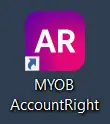

If you're new to AccountRight, you can now create a company file, or work on an existing file.
If you still work offline or in a local network
AccountRight Server Edition is a temporary solution that may support working offline for the short-term. If you have some files online, you’ll still need AccountRight PC Edition to keep working with them. You can install both editions on the same computer.
There are a few things to be aware of when using Server Edition:
MYOB does not recommend this approach – Server Edition it is built on technology that no longer meets today’s performance standards.
In the near future, Server Edition will stop working and you’ll no longer be able to use it.
Server Edition will not receive minor bug fixes, security updates or any new features or enhancements.
There is no guarantee MYOB will be able to support this option in the future.
Work offline for now with Server Edition
You need Windows administrator permission to complete the installation.
Right-click this download link and choose Save link as or Save target as and save the installer file to your desktop.
Close all programs.
Double-click the downloaded installer file and follow the prompts to complete the installation.
After installing, double-click the new AccountRight Server Edition desktop shortcut to start AccountRight to work on an offline company file:

When you're ready to move online
You'll need to install AccountRight PC Edition as described above, then move your offline file online.
You can then uninstall AccountRight Server Edition.
If you need to deploy AccountRight using a group policy
To deploy AccountRight in an IT-managed environment to work with offline company files, use the AccountRight MSI installer.
If you need to access online files, use the latest AccountRight PC Edition or sign in to AccountRight in a browser.
Need a helping hand?
Try our Installation troubleshooting guide, or contact us and we'll be happy to help.
FAQs
How do I check my current AccountRight version?
To check your current AccountRight version, open your company file, go to the Help menu and choose About MYOB AccountRight.
You can also check your AccountRight desktop icon to help work out what you're using.
If your AccountRight desktop icon looks like this:
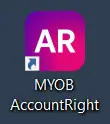
Nice - you're using the latest AccountRight version (sometimes called the PC Edition) and you'll receive automatic updates with every release! When an update's available, you'll be prompted to restart AccountRight – and you're done. When you open your company file after an update, the company file will be upgraded to work with that version.
If your AccountRight desktop icon looks like this, you're using AccountRight Server Edition:
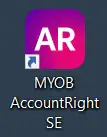
This edition can work with offline company files and won't receive any updates. See above for more details.


Where can I download an older AccountRight version?
You can download older AccountRight versions from myob.com/support/downloads