From 1 October 2026, changes to surcharging affect how you manage fees on invoices paid via Online Payments. More about the RBA surcharge changes
When you use Online Payments, you can choose whether or not to allow customers to pay you using BPAY.
Turn BPAY on or off for all new invoices
Only the business owner or an Online Admin user can change the default Online Payments settings. More about user access.
This turns BPAY on or off for newly created invoices – it won't affect existing invoices.
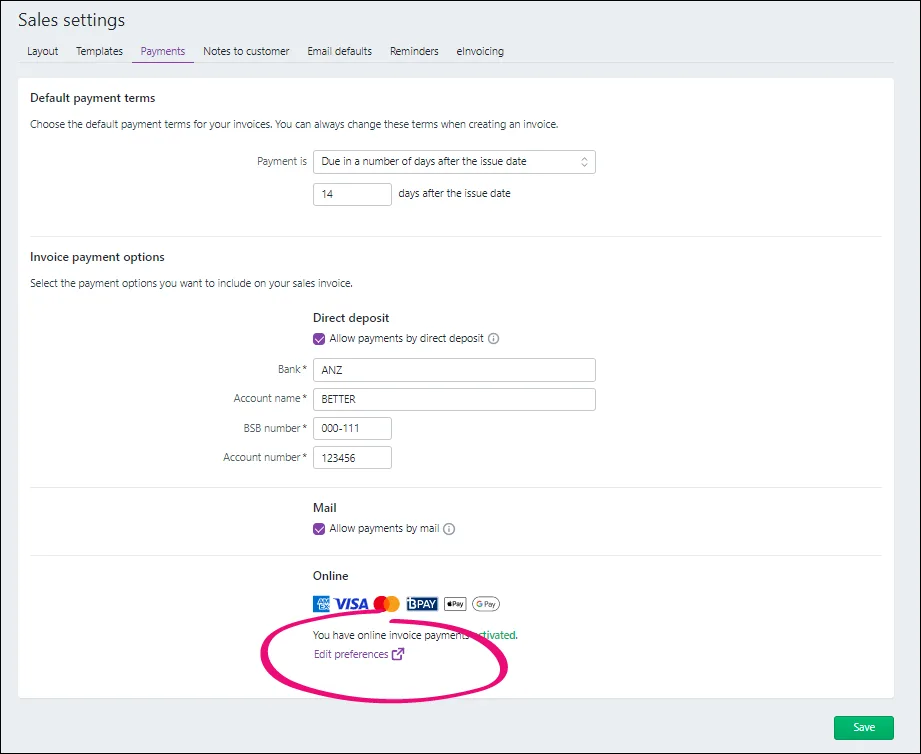
Click the settings menu (⚙️) and choose Sales settings.
Click the Payments tab.
Click Edit preferences.
Under Online Invoice Payments, select or deselect the option Accept BPAY payments:
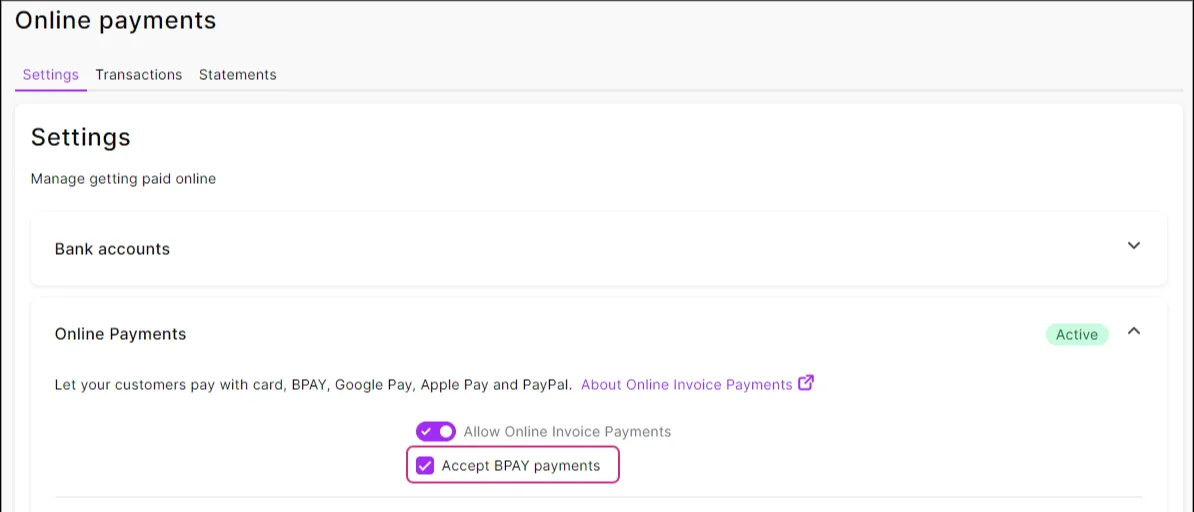
Click Save.


Now, you just need to create and send invoices like you normally would. See Creating invoices and Emailing, printing or downloading invoices if you need a refresher.
To turn BPAY on or off for existing invoices, update the BPAY option on each invoice.
Turn BPAY on or off for a single invoice
Changing the BPAY option in an invoice only affects that invoice.
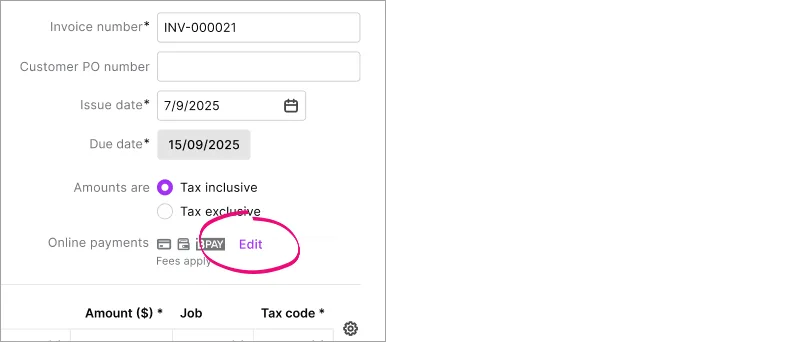
Create the invoice as you normally would or open an existing (unpaid) invoice.
Click Edit.
Select or deselect the BPAY option.
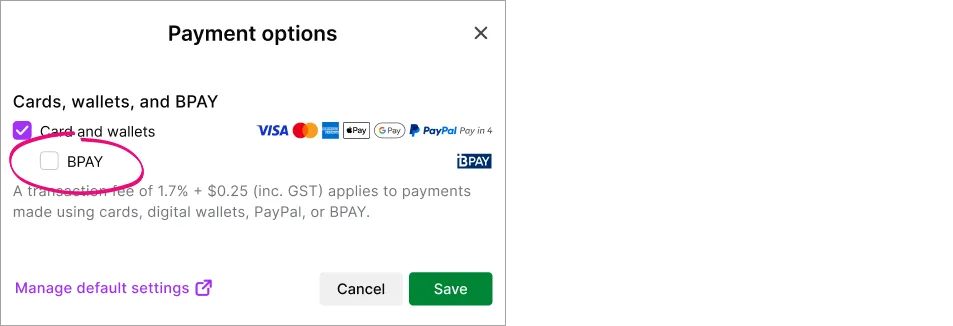
Click Save.
Complete the invoice as normal and send it to your customer.


If you change any payment settings on an invoice you've already sent, you'll need to save your changes and re-send the invoice.
When you use Online Payments, you can choose whether or not to allow customers to pay you using BPAY.
Turn BPAY on or off for all new invoices
Only the business owner or an Online Admin user can change the default Online Payments settings. More about user access.
Go to the Sales command centre and click Online Payments.
On the Settings tab, under the Online Invoice Payments, select the option Accept BPAY payments.
Click Save.
Now, you just need to create and send invoices like you normally would. See Creating invoices and Emailing, printing or downloading invoices if you need a refresher.
To turn BPAY on or off for existing invoices, update the BPAY option on each invoice.
Turn BPAY on or off for a single invoice
Changing the BPAY option in an invoice only affects that invoice.
Create the invoice as you normally would or open an existing invoice (need a refresher on creating or finding invoices?).
Click Edit options.
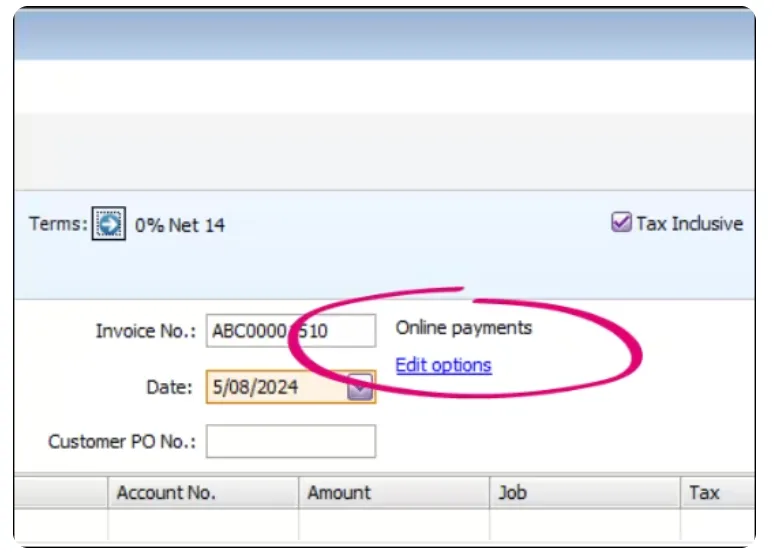
Select or deselect BPAY.
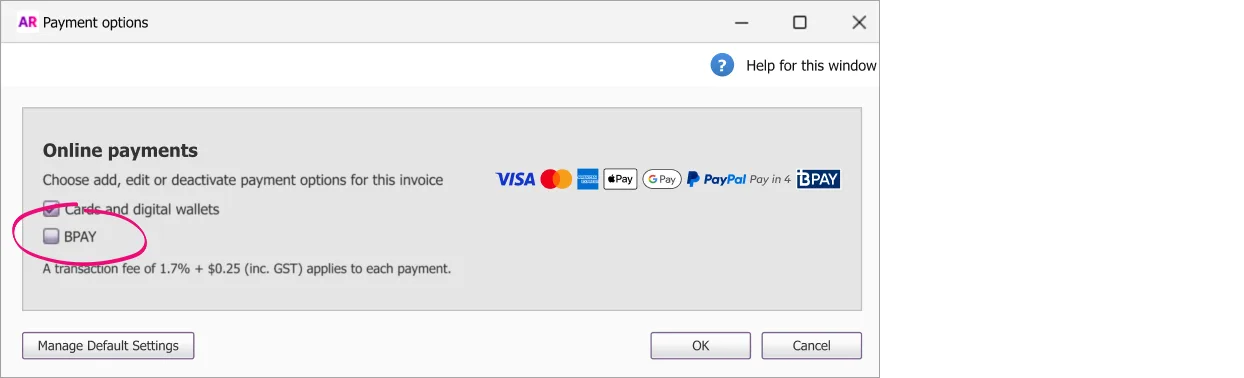
Click OK.
Complete the invoice as normal and send it to your customer.


If you change any payment settings on an invoice you've already sent, you'll need to save your changes and re-send the invoice.