AccountRight PC Edition (online company files) only
Online company files are only available in AccountRight PC Edition. If you’ve been using Server Edition, install AccountRight PC Edition on each computer that needs access.
Each week, MYOB automatically backs up online company files that have had changes in the previous 7 days. It means you can relax knowing we're saving regular point-in-time versions of your online company file that you can roll back to if needed.
You can also manually create online backups whenever you like, and these will be accessible along with the automatically created ones.
Online backups are stored securely in the cloud for the 6 months, on the same servers we use to store online company files. If anything goes wrong in your company file, like an import that didn't go to plan, you can roll back your company file to the point-in-time the backup was created.
Note that online backups cannot be downloaded or copied to a USB drive.
More about backing up and restoring company files
Manually create an online backup
You can manually create an online backup at any time between the automatic weekly backups.
Go to the File menu and choose Back Up.
Enter a name for the backup. This helps identify it later if you need to restore your company file to this point in time.
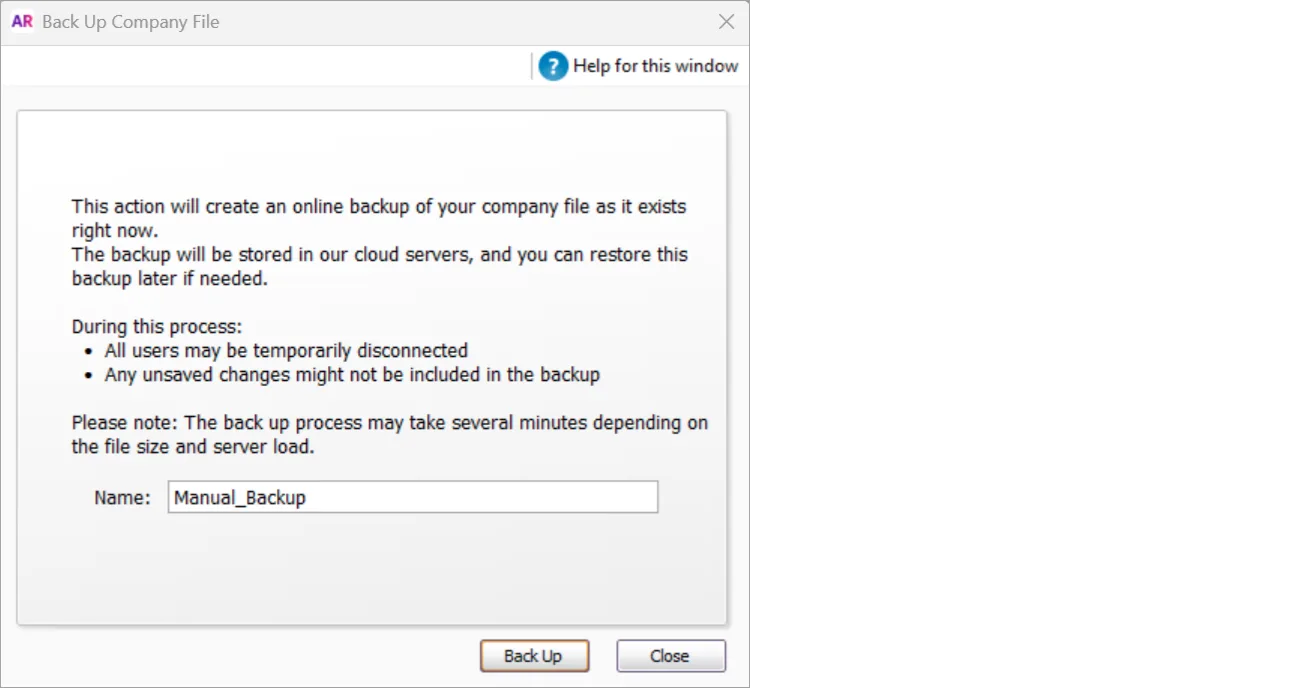
Click Back Up.

View your list of online backups via the File menu > Restore.
